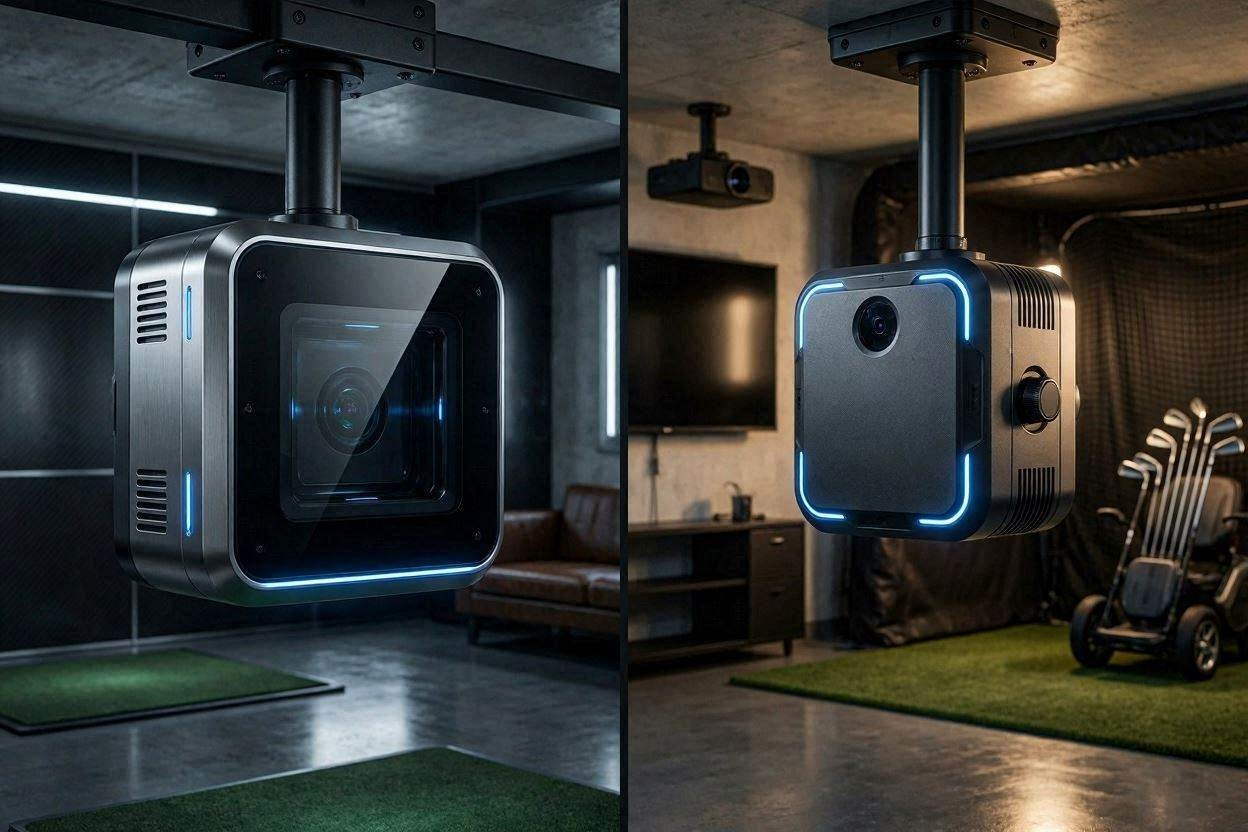
Choosing the correct overhead launch monitor for your home indoor setup is the most crucial architectural and financial decision you will make. When evaluating the Uneekor Eye XO vs XR, you are looking at two highly capable, premium photometric systems that approach game improvement from entirely different engineering philosophies. While both units eliminate the floor clutter associated with portable radar devices, their underlying camera technology, data acquisition methods, and physical installation requirements differ drastically. In 2026, the launch monitor landscape is heavily focused on AI-driven tracking versus raw physical measurement, leading many mid-to-high handicappers to question which system actually delivers the most actionable feedback.
If your primary goal is building a repeatable, consistent swing rather than just playing virtual courses, diving into the exact specifications of the XR’s newer Club AI technology versus the XO’s legacy sticker-based tracking is mandatory. This technical benchmark guide breaks down the optical hardware, the specific data points each unit captures, and why missing certain micro-metrics might not be the dealbreaker you think it is.
The “Quick Answer” / Key Takeaways
- Mounting Architecture: The EYE XR is a rear-mounted unit positioned 3.5 feet behind the tee, while the EYE XO (and XO2) are front-mounted directly above and slightly ahead of the hitting zone.
- The Sticker Dilemma: The EYE XR utilizes advanced Dimple Optix and AI Club Tracking, meaning you require zero reflective stickers on your clubs or marked balls. The EYE XO requires you to manually apply fiducial stickers to every club to capture complete club data.
- Data Point Discrepancy: The XO series tracks up to 24 data points, physically measuring Impact Point (vertical/horizontal) and Angle of Attack. The XR tracks 19 points, utilizing AI algorithms to calculate Face Angle without measuring impact location.
- Latency and Hardware: Both units offer an astonishing 0.02ms near-zero latency, but the XR features a streamlined Power over Ethernet (PoE) single-cable setup for a cleaner ceiling installation.
1. Decoding the Optical Hardware: Front-Mounted vs. Rear-Mounted Architecture
The fundamental difference between these two systems begins with where they are bolted to your ceiling. The physical placement of high-speed infrared cameras directly impacts the field of view and the optical constraints the software must overcome.
The Front-Mounted EYE XO Configuration
The EYE XO series is installed overhead and slightly in front of the hitting zone. This positioning provides a commanding, direct downward view of the clubface interacting with the ball. By looking down at the leading edge and the crown of the golf club, the dual (or triple in the XO2) high-speed cameras have an unobstructed view of the club’s physical orientation before, during, and after impact. This front-mounted geometry is exactly why the XO series excels at capturing hyper-detailed club delivery metrics, providing high-definition macro videos of the exact strike location on the clubface. However, front-mounting means the unit physically resides in the “danger zone,” directly above the swing plane, requiring at least a 10-foot ceiling to ensure tall golfers do not strike the housing with their follow-through.
The Rear-Mounted EYE XR Configuration
The Uneekor EYE XR completely changes the spatial layout. It acts as the modern successor to the older QED unit, mounting exactly 3 feet 6 inches behind the center of the tee on the ceiling. This rear-mounted architecture pulls the $6,980 hardware completely out of the swing path, eliminating any psychological hesitation a player might feel about hitting a “skied” driver or catching the unit with a high-lofted wedge.
From this rear vantage point, the dual high-speed IR cameras look over the golfer’s trailing shoulder. The cameras prioritize the initial ball flight and the club path entering the impact zone. Because the cameras are looking at the back of the ball as it launches forward, the unit is incredibly efficient at reading ball speed and spin, but it inherently loses the direct, front-facing view of the clubface required for raw physical measurement.
2. The Uneekor Eye XO vs XR Data Discrepancy: AI vs. Direct Measurement
The primary concern for data-driven golfers when comparing the Uneekor Eye XO vs XR is the perceived “loss” of club data on the XR. Understanding exactly what you lose, and how the machine compensates, will determine if the XR fits your handicap level.
The Club Data Deficit on the XR
The EYE XO relies on physical evidence. By placing specialized reflective stickers on the crown or toe of your irons and woods, the XO’s cameras lock onto those high-contrast markers. This allows the system to definitively measure the Angle of Attack (how steep or shallow the club is traveling vertically) and the exact Impact Point (whether you hit the ball 5mm off the toe or dead center).
Because the XR sits behind the golfer and does not use stickers, it tracks 19 data points instead of the XO2’s 24. The XR measures core ball flight metrics flawlessly: Ball Speed, Launch Angle, Back Spin, Side Spin, Spin Axis, and Carry Distance. For the club, it measures Club Speed and Club Path directly. However, it cannot physically see the impact point on the face, and it calculates the Face Angle using a proprietary AI mathematical formula based on the resulting ball flight and club path vectors.
Why AI-Calculated Metrics Work for Mid-Handicappers
If you are a scratch golfer or a professional club fitter, you need exact, physically measured Angle of Attack and Impact Point data to optimize spin loft on a driver to within a single degree. For that specific use case, the XO is mandatory.
However, if you are a mid-to-high handicapper focused on game improvement, you might be overreacting to the lack of these specific metrics. Your primary swing flaws are likely related to severe out-to-in club paths, extreme face openness, or inconsistent ball striking. The XR provides Club Path, Smash Factor, and accurate ball dispersion mapping. If your ball speed drops and your smash factor is 1.25 on a 7-iron, you do not need the launch monitor to tell you that you missed the center of the face; you can feel it. The 19 data points provided by the XR, including the incredibly accurate spin axis tracking, will tell you 90% of the story required to straighten out a slice or cure a snap hook.
[IMAGE PLACEHOLDER: A 3D render showing a golf club interacting with a ball. Glowing lines display Club Path and Face Angle calculations + Alt Text: Software interface showing the club path data points tracked by the Uneekor Eye XO vs XR]
3. The Freedom of Stickerless Technology (Dimple Optix)
One of the most significant daily operational differences between the Uneekor Eye XO vs XR is the friction involved in simply hitting a golf ball. In an indoor simulator, convenience dictates frequency of use.
To get the full suite of club data on the EYE XO, you must painstakingly apply Uneekor’s proprietary reflective stickers to every single club in your bag. Over time, these stickers peel off due to friction, get dirty, or shift slightly, requiring constant reapplication and visual checking before a practice session.
The EYE XR leverages Dimple Optix and AI Club Tracking. The cameras use raw optical processing and high-intensity infrared flashes to recognize the natural dimple pattern of any standard golf ball off the shelf. You do not need marked balls (like the older QED required), and you do not need any stickers on your clubs. You simply drop a Pro V1, a TP5, or an old range ball into the 13.7-inch by 11.8-inch ready zone, and swing. For a home setup where friends or family might drop by with their own clubs to play a quick round of GSPro, the stickerless freedom of the XR is a massive quality-of-life upgrade that cannot be overstated.
4. Software Ecosystem and Network Integration
Both launch monitors are heavily tied into Uneekor’s proprietary software architecture. Neither unit will function without a dedicated, high-performance PC to process the immense amount of visual data captured by the global-shutter cameras.
Power Over Ethernet (PoE) and Latency
The XR boasts a heavily refined installation footprint. It utilizes Power over Ethernet (PoE) technology. Instead of running a bulky 110V power cable to an outlet in your ceiling and a separate USB or CAT6 data cable back to your computer, the XR requires a single CAT6 LAN cable. This cable plugs into a PoE injector near your PC, sending both raw electricity and gigabit data across a single line. This ensures near-zero lag (0.02ms latency). The moment the ball impacts the screen, the virtual shot is already flying.
The Subscription Tier Paywall
When budgeting for either system, you must account for the software subscriptions required to play third-party simulation games. Out of the box, both units provide the basic “Player Package” for free, which includes the virtual driving range and basic data export.
However, to bridge the Uneekor hardware to GSPro or E6 Connect, you must subscribe to at least the “Pro Package” for $199 per year. This unlocks the Third-Party Software Connector. If you want access to Uneekor’s advanced AI Trainer and GameDay modes, you are forced into the $399/year “Champion” or $599/year “Ultimate” tiers.
[EXTERNAL LINK: Detailed overview of how local network latency affects golf simulator shot delays]
5. PC Hardware Requirements and Processing Power
Because these systems utilize AI calculations and rapid frame-by-frame analysis instead of simple radar Doppler shifts, your computing core must be robust. Do not attempt to run either the Uneekor Eye XO or the XR on a standard office laptop.
The minimum system requirements mandate a 10th-generation Intel i5 or later, but the recommended specifications for handling the high-speed video capture and the AI Trainer software are much steeper. You must deploy an Nvidia RTX 3060 Ti graphics card (or higher) with at least 8GB of dedicated VRAM, paired with a minimum of 32GB of system RAM.
If your PC lacks the necessary Tensor cores provided by modern Nvidia RTX cards, the AI-driven club tracking algorithms on the XR will stutter, causing the software to fail to calculate the face angle in real-time. This results in incredibly frustrating “no-read” errors right in the middle of your simulator round.
6. Swing Optix and AI Trainer: The Ultimate Game Improvement Tool
If you are a mid-to-high handicapper worried about the lack of Angle of Attack data on the XR, Uneekor provides a bundled solution that effectively replaces raw numerical data with actionable visual evidence: The Swing Optix camera system.
When purchasing the XR AI Studio package, Uneekor bundles two synchronized high-speed 120fps cameras alongside the main launch monitor. These cameras are mounted on tripods (or permanent wall mounts) to provide simultaneous Face-On and Down-The-Line viewing angles of your physical body.
Instead of staring at a spreadsheet trying to figure out why your Club Path was -5.0 degrees (outside-in), the Swing Optix cameras instantly replay your body movement the millisecond after impact. You can physically see your shoulders spinning open early or your weight hanging back on your right foot. Furthermore, the included AI Trainer software automatically analyzes this 120fps video, drawing digital swing planes, posture boxes, and shaft angles on the screen, comparing your mechanics to professional checkpoints. For a golfer actively trying to build a repeatable swing, high-speed visual feedback of their body mechanics is infinitely more valuable than knowing their angle of attack was -2.1 degrees instead of -1.8 degrees.
[INTERNAL LINK: Complete Guide to Optimizing Your GSPro Settings for High-End Launch Monitors]
7. The Premium Upgrade
Perfect camera tracking means nothing if the physical environment of your simulator introduces artificial errors. When building a mid-tier game improvement studio around a $7,000 to $11,000 launch monitor, you must protect your joints and your data with professional-grade support hardware.
The most critical upgrade you must secure is your hitting surface. Hitting a heavy iron off a cheap EVA-foam mat laid over a concrete garage floor will result in severe tendonitis and artificial “mat bounce” that ruins your smash factor data. We strongly recommend upgrading to a Fiberbuilt Grass Series Studio Mat. The specialized low-friction bristles allow the clubhead to pass cleanly through the hitting zone, providing realistic fairway turf interaction while protecting your wrists from micro-trauma.
Additionally, an overhead launch monitor requires an immaculate visual canvas. To prevent dangerous ball rebound and to display GSPro in stunning 4K, source a Premium Impact Screen and Enclosure Kit from specialized engineers like Carl’s Place or The Indoor Golf Shop (accessible directly through premium affiliate networks like ShareASale or PartnerStack). These custom enclosures feature heavy-duty ballistic nylon side walls to catch extreme shanks, and they offer custom sizing down to the inch to perfectly fit your garage’s spatial footprint. Combining the stickerless freedom of the Uneekor EYE XR with a Carl’s Place enclosure and a Fiberbuilt mat transforms a basic hitting net into a professional, commercial-grade training facility.
[IMAGE PLACEHOLDER: A fully customized Carl’s Place golf simulator enclosure featuring a Fiberbuilt mat and an overhead Uneekor launch monitor + Alt Text: Upgrading your home studio setup for the Uneekor Eye XO vs XR launch monitors]
Preventative Maintenance: Calibrating the Ready Zone
To ensure your photometric launch monitor retains its 0.02ms latency and flawless accuracy over years of high-volume practice, you must perform regular spatial calibration. Overhead systems are bolted to ceiling joists that expand and contract slightly with seasonal temperature and humidity changes.
The Quarterly Calibration Check:
Even a 1-degree shift in the pitch or roll of the aluminum housing will drastically warp your vertical launch angles and spin axis vectors. Every three months, lay the provided Uneekor physical calibration board perfectly flat in the center of your 13.7-inch by 11.8-inch hitting zone. Boot up the VIEW software and open the calibration wizard. Verify that the digital grid perfectly aligns with the high-contrast markers on the physical board. If the digital grid is skewed, slightly loosen the M4 screws on the ceiling bracket, adjust the angle guide pins until the unit is perfectly plumb, and lock it down. A 5-minute calibration check guarantees your game-improvement data remains absolute truth.