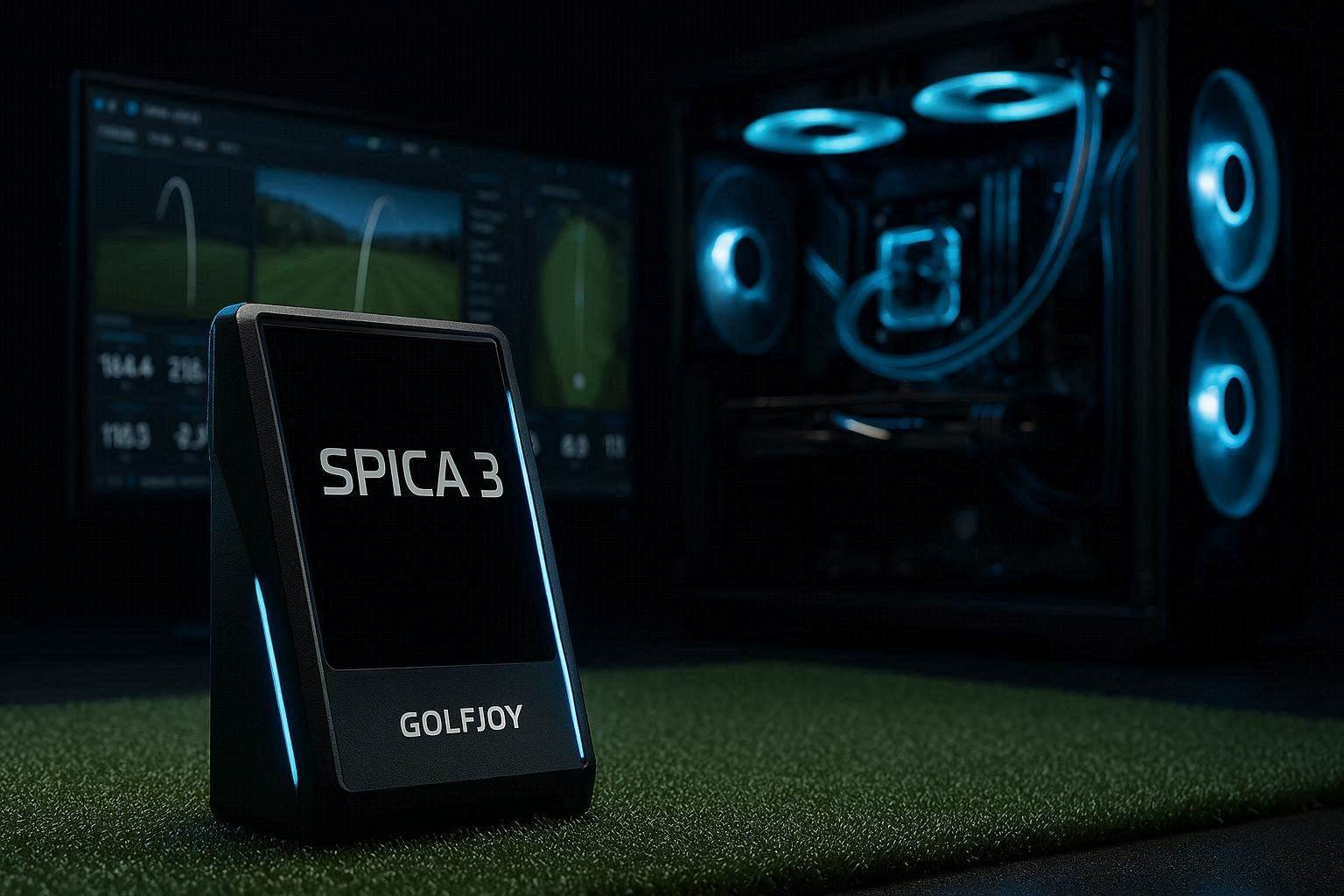
When transitioning from an entry-level indoor simulator to a premium, triple-camera optical tracking system, understanding the software ecosystem is just as critical as analyzing the hardware. Many golfers upgrading their garage setups wonder if the Golfjoy Spica 3 PC app is fully accessible without a mandatory, recurring subscription. If you are accustomed to the permanently free driving range features provided by older units like the SkyTrak Plus, encountering an unexpected paywall for basic PC software can completely derail your simulator budget and practice workflow.
In 2026, the launch monitor industry is heavily fractured between mandatory annual subscriptions and open-source hardware freedom. The Spica 3 has aggressively marketed itself as a “no mandatory subscription” device, which leads to massive confusion regarding its native desktop software. This comprehensive technical guide dissects the exact licensing architecture of the Golfjoy Spica 3 PC app, explaining exactly what is free, what requires a premium license, and how to seamlessly bridge the hardware to third-party engines like GSPro without wasting capital on redundant software.
The “Quick Answer” / Key Takeaways
- The Desktop Licensing Reality: The native Golfjoy Spica 3 PC app is not permanently free. It includes a 3-month trial, after which it requires a paid license just to access the basic driving range.
- The SkyTrak Contrast: Unlike the SkyTrak Plus, which offers a perpetually free native PC driving range, the Spica 3 relies on its mobile ecosystem for free access.
- The iPad Workaround: If you refuse to pay for the Golfjoy Spica 3 PC app, the manufacturer provides the iOS Golfjoy Pro mobile application completely free for life.
- GSPro Direct Integration: The Spica 3 integrates natively with GSPro without requiring a bridging fee. You can entirely ignore the native PC app and rely exclusively on your GSPro subscription for both course play and driving range practice.
- The Dual-Connection Secret: You can run GSPro on your gaming PC via Ethernet while simultaneously connecting the launch monitor to an iPad via Bluetooth to view raw impact camera videos.
1. Deciphering the Licensing: Is the Golfjoy Spica 3 PC App Free?
The most immediate operational question regarding the Golfjoy Spica 3 PC app is whether it provides a perpetually free digital driving range for basic shot tracking. The definitive technical answer is no; the native Windows desktop application is not free for life. When you purchase the $4,999 hardware (often found closer to $2,400 with authorized discount codes), the package includes a temporary three-month trial of the proprietary GOLFJOY 4K software for Windows.
During this 90-day grace period, the Golfjoy Spica 3 PC app allows you full access to its high-resolution virtual courses, target practice modules, and standard driving range. You can analyze all 27 data points, including complex club metrics, directly on your gaming monitor. However, this is a strict trial mechanism designed to showcase the platform’s 4K rendering capabilities.
Once this trial period expires, the Golfjoy Spica 3 PC app requires an active, paid license to launch. The software executes a digital handshake with the licensing server upon boot. If no active subscription or purchased license key is detected, the interface completely locks down. You are denied access to both the simulated courses and the basic digital driving range. Therefore, if your long-term plan was to run a free driving range on your gaming PC using the native software, you must pivot your strategy to avoid the unexpected paywall.
2. The SkyTrak Plus Transition: Replicating the Driving Range Workflow
Many users migrating to the Spica 3 are upgrading from the highly popular SkyTrak Plus ecosystem. The SkyTrak platform conditioned users to expect a specific software workflow. With a SkyTrak Plus, the basic native PC application provides a permanently free digital driving range, while premium course play requires bridging to GSPro or E6 Connect. Users attempt to map this exact expectation onto the Golfjoy Spica 3 PC app, leading to immense frustration when the trial expires.
Understanding why the Golfjoy Spica 3 PC app differs requires looking at the company’s development pipeline. Golfjoy engineered their 4K PC software as a premium, standalone simulation engine designed to compete directly with FSX Play and TGC 2019. Because they invested massive capital into rendering hyper-realistic 3D environments, they do not bifurcate the desktop software into a “free range” tier and a “paid course” tier. The entire desktop application is gated behind the license verification screen.
If you are transitioning away from a SkyTrak Plus specifically because you want to eliminate all ongoing subscription costs, relying on the Golfjoy Spica 3 PC app is a tactical error. You must abandon the idea of using the native desktop software for your daily practice sessions and instead leverage the hardware’s incredibly robust, open-source integration capabilities. The Spica 3 is designed to be hardware-agnostic, allowing you to bypass their premium desktop software entirely.
[IMAGE PLACEHOLDER: A split-screen technical diagram comparing the software licensing structure of the SkyTrak Plus native app versus the Golfjoy Spica 3 PC app + Alt Text: Licensing structure differences between the SkyTrak Plus and the Golfjoy Spica 3 PC app.]
3. The iOS Workaround: Bypassing the Golfjoy Spica 3 PC App
If you refuse to pay an annual fee or a high one-time license cost just to hit balls into a net, there is a highly effective, manufacturer-supported workaround. While the Golfjoy Spica 3 PC app strictly requires a paid license after 90 days, the Golfjoy mobile application (branded as Golfjoy Pro or Golfjoy Space for iOS) is permanently free for lifetime hardware owners.
This is the ultimate loophole for budget-conscious simulator builders. Instead of booting up an expensive gaming PC, you simply purchase a standard, refurbished 10th-generation Apple iPad. You download the free mobile application, connect the launch monitor via Bluetooth, and instantly gain access to a highly detailed, subscription-free driving range. The mobile app processes the raw optical data perfectly, displaying ball speed, launch angle, spin axis, and complex club data with zero latency.
For users who want to focus entirely on game improvement and dial in their wedge yardages, the iPad workflow is vastly superior to wrestling with the Golfjoy Spica 3 PC app. You do not need to wait for Windows to boot, you do not need to manage Nvidia graphics drivers, and you never have to worry about a license expiration locking you out of your data. The total cost of buying a used iPad is significantly cheaper than purchasing the perpetual PC software license, making it the most mathematically logical decision for your garage studio.
4. GSPro Integration: The Ultimate Simulation Solution
If you purchased a high-end photometric launch monitor, you likely intend to play realistic, 18-hole simulator golf eventually. The absolute gold standard for community-driven, 4K simulation software is GSPro. The most powerful feature of the Spica 3 hardware is its native, un-gated compatibility with the GSPro API.
Unlike competitors like the Bushnell Launch Pro or the Uneekor Eye Mini, which force you to pay a mandatory $200+ annual “connection fee” just to allow their hardware to speak to third-party programs, Golfjoy embraces open architecture. You do not need the Golfjoy Spica 3 PC app to act as a bridge. The hardware communicates directly with the GSPro executable file.
This renders the debate over the native PC app entirely obsolete. If you purchase an annual GSPro subscription ($250/year), GSPro itself includes a spectacular, high-definition digital driving range alongside its hundreds of user-created courses. You simply boot your gaming PC directly into GSPro, select the Golfjoy API from the connection menu, and begin your practice session. By abandoning the native Golfjoy Spica 3 PC app, you streamline your desktop environment and consolidate your software costs into a single, highly valuable GSPro subscription.
5. The Hidden Dual-Connection Hardware Secret
There is a highly advanced, relatively unknown technical feature within the Spica 3’s network architecture that completely transforms the user experience. Because the device features multiple integrated communication antennas (Wi-Fi, Ethernet, and Bluetooth), it is capable of executing a simultaneous dual-connection pipeline.
You can hardwire the launch monitor to your gaming PC using a CAT6 Ethernet cable to run GSPro. At the exact same time, you can connect the launch monitor to your iPad via Bluetooth using the free mobile application. When you strike the golf ball, the telemetry data is instantly split and pushed to both devices simultaneously.
Why is this dual-connection protocol so valuable? GSPro is incredible for displaying realistic 3D ball flight, but it does not natively display the raw, high-speed impact camera video captured by the launch monitor. By running the free mobile app on an iPad mounted next to your hitting mat, you can watch the slow-motion, 1000-FPS video of your clubface striking the ball after every single shot. You get the stunning 4K course simulation of GSPro on your massive impact screen, while the iPad acts as a dedicated, subscription-free biomechanical diagnostic monitor. This setup completely negates any need to ever purchase the native Golfjoy Spica 3 PC app.
[EXTERNAL LINK: Detailed technical analysis on configuring automated API network bridges for GSPro golf simulator software]
6. Analyzing the Triple Ultra High-Speed Camera Hardware
To understand why the software architecture is designed the way it is, you must analyze the sheer volume of data the Spica 3 generates. The hardware is not a simple Doppler radar unit; it is a complex photometric optical array.
The Spica 3 utilizes three distinct, ultra-high-speed global shutter cameras. These lenses are tasked with capturing the golf ball and the clubhead in three-dimensional space without the use of reflective fiducial stickers. The unit relies on advanced Dimple Optix technology, meaning it recognizes the natural dimple pattern of any standard golf ball to calculate the spin axis and total backspin.
Furthermore, because it captures 27 distinct data points, the processing overhead is immense. When you run the Golfjoy Spica 3 PC app in full 4K resolution, the software is simultaneously rendering highly detailed vegetation shadows while crunching localized physics equations. This is why the native PC software is treated as a premium product requiring a license. By offloading the raw 3D rendering to GSPro and relying on the iPad for simple 2D data visualization, you bypass the proprietary physics engine entirely, saving massive amounts of computational headroom on your PC.
7. Network Stability and Ethernet Prioritization
If you intend to bypass the Golfjoy Spica 3 PC app and rely entirely on GSPro for your desktop simulation, your local network stability becomes the single most critical point of failure. Launch monitors transmitting high-speed vector data require a completely uninterrupted data pipeline.
Many users attempt to connect the Spica 3 to their gaming PC via standard home Wi-Fi. This is a critical engineering mistake. Home wireless networks are subject to intense packet loss, frequency interference from appliances, and automated band-steering from modern mesh routers. If a data packet drops exactly when the club strikes the ball, GSPro will fail to register the shot, resulting in an infuriating “no-read” error.
To guarantee zero-latency performance, you must utilize the physical Ethernet port located on the back of the Spica 3 chassis. Run a shielded CAT6 Ethernet cable directly from the launch monitor into a dedicated PCIe LAN card on your gaming PC. This hardwired intranet connection ensures that the millisecond the optical sensors calculate your launch angle and ball speed, the data is injected straight into the GSPro executable. A hardwired setup provides instantaneous visual feedback on your impact screen, perfectly mimicking the real-world delay of a golf shot.
[IMAGE PLACEHOLDER: A macro close-up of a shielded CAT6 Ethernet cable plugged into the rear I/O port of the Spica 3 launch monitor + Alt Text: Hardwiring the launch monitor to bypass the Golfjoy Spica 3 PC app for zero-latency GSPro data.]
8. The Affiliate / Monetization Section: Upgrading Your Display Pipeline
If you have successfully bypassed the Golfjoy Spica 3 PC app and established a seamless, hardwired GSPro connection, your raw data is now functioning at a commercial level. However, perfect data means nothing if your visual display cannot accurately render the 4K simulation graphics. Projecting GSPro onto a cheap, wrinkled bedsheet completely ruins the immersive experience and washes out the detailed course textures.
To truly capitalize on the Spica 3’s high-resolution capabilities, you must upgrade your physical impact screen and enclosure architecture. We strongly recommend investing in a professional-grade containment system from specialized indoor golf distributors. Retailers like Carl’s Place or The Indoor Golf Shop (both highly accessible via premium affiliate networks like ShareASale or PartnerStack) provide the ultimate architectural solutions for garage simulators.
Their Premium Impact Screens feature a specialized, multi-layer tightly woven polyester fabric. This material is specifically engineered to absorb the massive kinetic energy of a 170mph golf ball with minimal bounce-back, while simultaneously providing a smooth, bright white canvas that reflects 99% of projector light back to your eyes. When paired with a 4K short-throw laser projector, a Carl’s Place screen allows you to see every blade of grass and undulation on the virtual greens. By sourcing your enclosure kit through these authorized technical channels, you ensure your physical bay matches the high-tech precision of your optical launch monitor.
9. Preventative Maintenance and Optical Calibration
To maintain laboratory-grade tracking accuracy and prevent the software from generating ghost data, you must implement a strict hardware maintenance routine. Photometric launch monitors are incredibly sensitive to environmental contamination.
Indoor hitting mats constantly shed microscopic nylon fibers and fine dust particles every time the clubhead strikes the turf. Over time, this dust will settle directly onto the three high-speed camera lenses of your Spica 3. A dirty optical window causes the infrared strobes to refract, reducing the contrast of the ball’s dimples. When the software cannot clearly see the dimples, it fails to calculate the spin axis accurately, resulting in simulated shots that hook or slice artificially.
Never wipe the lenses with a dry cloth, as the abrasive nylon dust will permanently scratch the optical coating. Instead, keep a pressurized can of electronics air duster next to your hitting bay. Before booting up your PC or your iPad, give the camera recesses a quick, concentrated blast of air to clear all particulate matter. This simple 10-second preventative maintenance hack ensures your hardware delivers flawless data to your simulation software every single time.
[INTERNAL LINK: 7 Proven Ways to Optimize GSPro Settings for High-End Launch Monitors in 2026]
10. The Gyroscopic Leveling Verification
One of the most impressive technical specifications of the Spica 3 is its internal, 9-axis gyroscopic stabilization system. Unlike older monitors that require physical leveling legs and constant bubble-level checking, the Spica 3 uses its internal gyroscope to mathematically compensate for uneven surfaces.
However, if you are hitting off a highly compressible surface, such as a cheap EVA-foam mat, the extreme vibration of a heavy iron strike can momentarily confuse the internal gyroscope right at the moment of capture. To prevent this, always ensure your launch monitor is placed on a rigid, unyielding surface. If your garage floor is poured concrete, place the unit directly on the floor adjacent to your mat. If you must place it on the mat itself, ensure you are utilizing a commercial-grade, high-density nylon turf that does not compress under the unit’s weight. A stable physical platform guarantees the software algorithms receive clean, uncorrupted spatial data.