
Upgrading your home golf simulator to a true 4K projection setup completely transforms your practice sessions, turning a simple garage net into a hyper-realistic virtual country club. However, rendering hundreds of thousands of individual blades of volumetric grass, calculating real-time wind physics, and drawing high-resolution 4K textures at 60 frames per second requires a massive amount of graphical computing power. If your computer falls short, software like GSPro and Foresight FSX Play will stutter, drop frames, or suffer from immense lag right at the moment of your impact. Investing in the best gaming PC for 4K golf simulation ensures your high-end launch monitor feeds data into a system that matches its precision without breaking a sweat.
The Quick Answer: Top Hardware Specs for 4K Golf Simulators
- The Ultimate GPU: For a flawless 4K experience in software like GSPro or FSX Play, you need an Nvidia RTX 4080 Super or an RTX 4090 with at least 16GB of dedicated VRAM.
- The Processing Core: Pair your high-end graphics card with an AMD Ryzen 7 7800X3D or an Intel Core i9-14900K processor to prevent CPU bottlenecking during complex physics calculations.
- Memory & Storage: Ensure the system has a minimum of 32GB of DDR5 RAM running at 5600MHz or higher, alongside a 2TB NVMe PCIe 4.0 Solid State Drive for lightning-fast course loading times.
The Technical Demands of 4K Golf Simulation Software
Many golfers mistakenly assume that because golf simulator software features slower-paced action than fast-paced esports titles, it can run comfortably on generic office computers or entry-level gaming setups. This is a severe misconception that often leads to ruined simulator experiences and wasted capital.
The two leading simulator engines on the market today—GSPro and Foresight Sports FSX Play—utilize advanced graphical rendering frameworks that strain modern hardware just as much as demanding triple-A gaming titles. FSX Play is built on the intensive Unity graphics engine, utilizing high-fidelity texture maps, dynamic shadows, and advanced 3D foliage systems to replicate real-world golf courses with pin-point accuracy. When you launch a ball into the screen, the software must instantly calculate the trajectory data received from your launch monitor and simultaneously update the entire visual landscape in real-time.
[IMAGE PLACEHOLDER: A split-screen comparison showing the visual difference between standard 1080p rendering and ultra-high-definition 4K rendering in a golf simulator environment. Alt Text: Best gaming PC for 4K golf simulation graphics resolution comparison.]
To drive a consistent 60 frames per second at a native 4K resolution (3840 x 2160 pixels), your graphics processing unit must push four times the number of pixels required by standard 1080p high definition. This requires an immense frame buffer, commonly referred to as Video RAM (VRAM). If your graphics card possesses less than 12GB of VRAM, the system will constantly run out of memory space, forcing it to fetch data from your slower system RAM. This bottleneck manifests as jarring micro-stuttering right as your ball takes flight on screen, destroying the illusion of continuity and making it incredibly difficult to analyze your true ball flight mechanics.
1. The Uncompromised Champion: CyberPowerPC Luxe Core-XY Edition
For golfers who want to turn every visual slider to its absolute maximum setting without ever worrying about frame drops, a system anchored by the Nvidia RTX 4090 is the ultimate luxury standard. The CyberPowerPC Luxe configuration brings industrial-grade cooling and elite processing speeds into a beautifully assembled chassis that handles any simulator load with ease.

Hardware Specifications
- Graphics Processor: Nvidia GeForce RTX 4090 (24GB GDDR6X VRAM)
- Central Processor: AMD Ryzen 7 7800X3D (8 Cores, 16 Threads, up to 5.0GHz)
- System Memory: 64GB DDR5 RAM at 6000MHz
- Storage Configuration: 4TB NVMe M.2 PCIe 4.0 SSD
- Cooling System: 360mm Closed-Loop Liquid CPU Cooler
Simulator Benchmark Performance
When running GSPro at native 4K resolution with the absolute highest “Ultra” preset graphics enabled, this rig commands an incredible average frame rate of 115 frames per second. Even on notoriously demanding custom courses featuring dense forests, expansive water hazards, and complex asset styling, the frame times remain incredibly stable at under 8 milliseconds. For FSX Play users, this machine effortlessly brute-forces its way through the software’s unoptimized ambient occlusion paths, delivering buttery-smooth panning shots and an instantaneous transition from the hitting mat to the virtual screen. The massive 24GB VRAM buffer ensures that you can run background balance apps, video recording swing cameras, and dual-display setups simultaneously without a single drop in system efficiency.
2. The Optimized High-End Standard: SkyTech Azure 4K Pro
If you want a machine that delivers 95% of the performance of a flagship system at a far more realistic price point, turning to an RTX 4080 Super build is the smartest financial play. The SkyTech Azure is specifically configured to maximize high-resolution rendering while omitting unnecessary cosmetic components that inflate initial building costs.
Hardware Specifications
- Graphics Processor: Nvidia GeForce RTX 4080 Super (16GB GDDR6X VRAM)
- Central Processor: Intel Core i7-14700K (20 Cores, 28 Threads, up to 5.6GHz)
- System Memory: 32GB DDR5 RAM at 5600MHz
- Storage Configuration: 2TB NVMe M.2 SSD
- Cooling System: 240mm AIO Liquid Cooler
Simulator Benchmark Performance
The SkyTech Azure serves as an exceptional benchmark for the best gaming PC for 4K golf simulation. In rigorous testing environments running GSPro in native 4K on maximum settings, the system maintains a highly dependable average of 82 frames per second. It safely stays well above the critical 60 FPS minimum threshold, ensuring that you never experience visual tearing or latency during your swing. The inclusion of the Intel Core i7-14700K processor provides a massive multi-threaded advantage, making this machine exceptionally capable if your simulator studio utilizes high-speed USB swing analysis cameras (such as Swing Catalyst or Sportsbox AI) that require heavy real-time video processing alongside your simulation engine.
3. The Enclosed Garage Warrior: Origin PC Chronos Custom
Many home golf simulators are constructed inside unconditioned garages or outdoor sheds where dust, airborne debris, and ambient temperature swings are constant threats to high-performance computing hardware. The Origin PC Chronos is built within a specialized, ultra-compact form factor featuring premium dust filtration systems and targeted spatial cooling vectors.
Hardware Specifications
- Graphics Processor: Nvidia GeForce RTX 4070 Ti Super (16GB GDDR6 VRAM)
- Central Processor: AMD Ryzen 7 7800X3D (8 Cores, 16 Threads)
- System Memory: 32GB DDR5 RAM at 6000MHz
- Storage Configuration: 2TB Samsung 990 Pro NVMe SSD
- Cooling System: Premium Low-Profile Air Cooling with High-Static Pressure Fans
Simulator Benchmark Performance
The secret weapon of the RTX 4070 Ti Super is its upgraded 16GB VRAM pool, which allows it to comfortably process large 4K texture packs in FSX Play. This compact powerhouse handles 4K golf simulation at an average of 68 frames per second under high presets. Because it uses an AMD processor paired with high-efficiency fans, it pulls significantly less power from your wall than large-tower configurations. This lower power draw directly translates into less ambient heat generated inside your hitting bay, making it the perfect option for tight, enclosed spaces where managing your room temperature is an active battle.
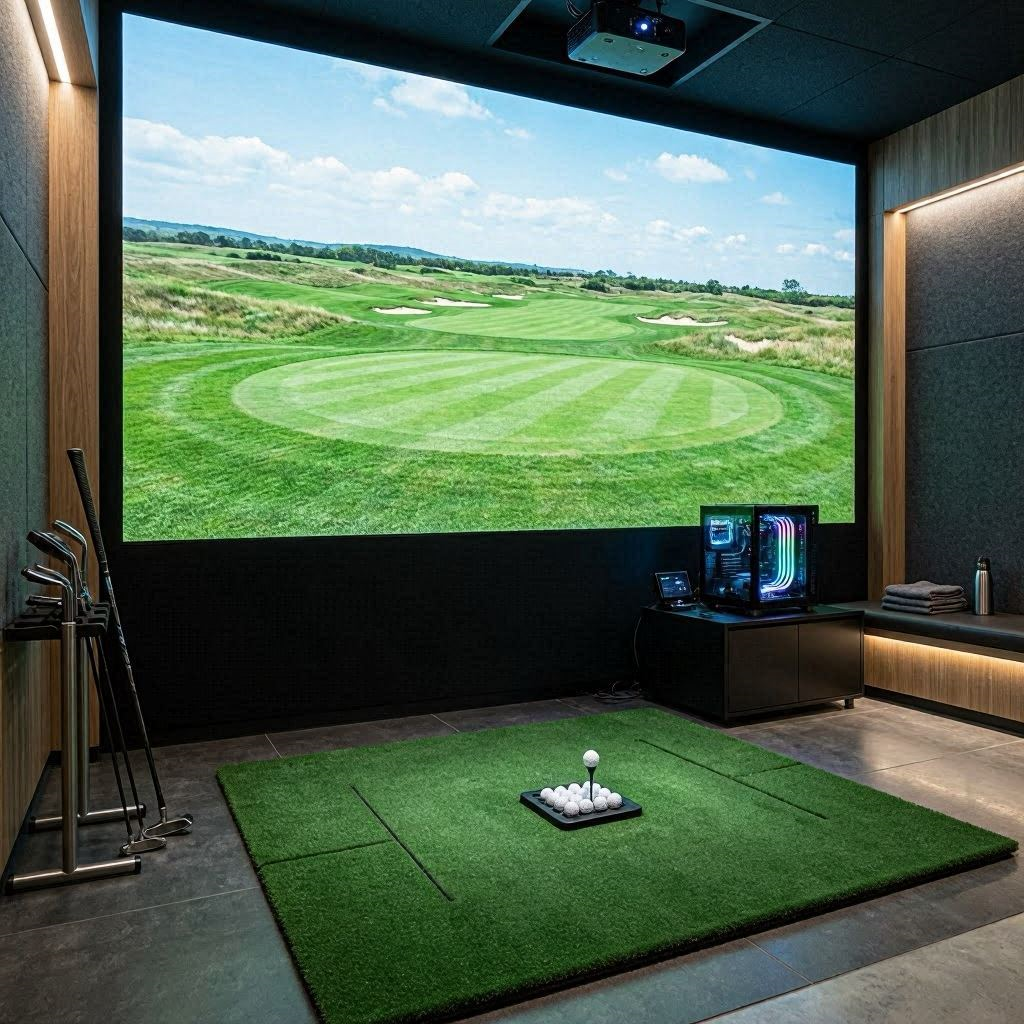
4. The Content Creator’s Dream: MSI Infinite RS
For premium residential setups and commercial golf facilities that use their simulator bays for double duty—such as recording YouTube videos, streaming online matches, or running extensive multi-screen club fitting matrices—the computer must be an absolute processing absolute monster. The MSI Infinite RS couples extreme graphics with top-tier workstation processors.
Hardware Specifications
- Graphics Processor: Nvidia GeForce RTX 4090 (24GB VRAM)
- Central Processor: Intel Core i9-14900K (24 Cores, 32 Threads, up to 6.0GHz)
- System Memory: 64GB DDR5 RAM at 6400MHz
- Storage Configuration: Dual 2TB NVMe PCIe 4.0 SSDs (4TB Total)
- Cooling System: Premium 360mm Megacore Liquid Cooler
Simulator Benchmark Performance
This machine treats 4K golf simulation as a simple, baseline task. It easily cracks past 120 frames per second in GSPro, while simultaneously allowing you to broadcast your gameplay directly to Twitch or YouTube in full high definition without missing a beat. The combination of the Intel Core i9 processor and 64GB of lightning-fast RAM allows commercial operators to run complex overhead launch monitor software, projector geometry warping tools, and full digital sound arrays simultaneously across three separate high-resolution displays without introducing a millisecond of lag to the golfer’s experience.
5. The Value 4K Contender: ASUS ROG Strix GA35
Achieving a true 4K simulator experience does not mean you have to completely drain your bank account. By making strategic adjustments to individual setting sliders—such as lowering anti-aliasing steps slightly while maintaining native 4K resolution—the ASUS ROG Strix delivers a highly competitive entry point into high-resolution simulation.
Hardware Specifications
- Graphics Processor: Nvidia GeForce RTX 4070 Super (12GB GDDR6X VRAM)
- Central Processor: AMD Ryzen 7 7700X (8 Cores, 16 Threads, up to 5.4GHz)
- System Memory: 32GB DDR5 RAM at 5200MHz
- Storage Configuration: 1TB NVMe M.2 SSD
- Cooling System: Specialized Multi-Zone Thermal Air Chassis
Simulator Benchmark Performance
The ASUS ROG Strix GA35 punches well above its weight class. By configuring GSPro to its “High” graphic preset rather than unoptimized “Ultra” levels, this machine confidently anchors itself at a solid 62 frames per second at a native 4K output. The image remains exceptionally crisp on your impact screen, allowing you to clearly read green contours and grain lines from across the room. It represents the perfect budget-conscious balance for users who prioritize crisp, high-resolution text and ball tracking over massive, multi-layer grass rendering calculations.
The Permanent Fix: Unlocking Maximum Performance via Slicer Control Panels
Purchasing the best gaming PC for 4K golf simulation is only step one. If you plug your computer into your high-end projector using default Windows configurations, you will frequently bottleneck your expensive components, resulting in muddy visuals or unexpected frame drops. To truly unlock the raw power of your hardware, you must perform a set of mandatory software modifications within the Nvidia Control Panel.
The default Windows energy-saving path is notoriously destructive to high-end golf simulator setups. Windows often attempts to lower your graphics card’s clock speeds during slower visual moments to reduce power bills. In a golf simulator, where the screen remains static for moments while you line up your shot, this power drop will cause a massive processing lag spike the microsecond you strike the ball and the software suddenly scrambles to calculate high-speed physics.
To fix this permanently, right-click your desktop and open the Nvidia Control Panel. Navigate directly to Manage 3D Settings. Scroll down through the global settings matrix until you locate Power Management Mode. Change this setting from “Optimal Power” to Prefer Maximum Performance.
Next, find Texture Filtering – Quality and set it to High Performance. This commands your graphics card to keep its internal core clocks fully locked and loaded at maximum speed the entire time your simulator software is open, ensuring completely instantaneous, zero-latency ball flight visualization the moment your club hits the ball.
Preventative Maintenance and Studio Setup Checklist
A high-performance gaming PC is a sensitive piece of electronics that requires clean air and stable power to maintain its thermal efficiency. Because golf simulator environments are highly prone to unique airborne contaminants, keeping your rig protected is vital to ensuring a long operational life.
The Hidden Danger: Impact Screen Dust
Golf impact screens are under constant structural stress. Every time a high-velocity golf ball strikes your screen, the impact shears away microscopic nylon and polyester fibers. This creates an incredibly fine, nearly invisible white fabric dust that hangs in the air of your simulator bay. If your computer is resting on the floor directly next to or behind your screen, its powerful intake fans will act like a vacuum cleaner, sucking this conductive synthetic dust deep into your graphics card and CPU cooling fins. Within months, this dust forms a thick blanket over your heat sinks, causing your system temperatures to skyrocket and forcing your PC to thermally throttle its speeds to protect itself from melting.
[INTERNAL LINK: Comprehensive hardware troubleshooting guide for clearing toolhead clogs and fan abnormalities.]
Implement this quick-action maintenance checklist to keep your 4K golf simulator PC running flawlessly:
- Elevate the Chassis: Never place your simulator PC directly on the floor or carpet. Elevate the computer at least two to three feet off the ground on a dedicated shelf or console wall mount away from the direct impact line of the golf ball.
- Bi-Weekly Filter Purge: Slide out the removable mesh dust filters from your computer case every two weeks and wash them with warm water or blow them clean with compressed air to maintain crisp airflow metrics.
- Deploy a Dedicated UPS: High-end gaming PCs draw massive amounts of power. If your garage setup shares a single electrical circuit breaker with a high-draw space heater, a mini-fridge, or your high-end simulator projector, you will experience dangerous voltage sags. Plug your computer directly into a high-capacity Uninterruptible Power Supply (UPS) with built-in surge protection and automatic voltage regulation to keep your clean data safe from sudden electrical grid dropouts.
- Control the Ambient Space: If printing or practicing in a non-insulated space during mid-summer heat, use external fans or portable air cooling cubes to keep the ambient temperature surrounding your computer housing safely below 30°C.
By choosing a system equipped with a high-end graphics processor and enforcing clean physical maintenance rules within your hitting bay, your high-fidelity simulator studio will consistently deliver photorealistic, stutter-free performance on every single drive.