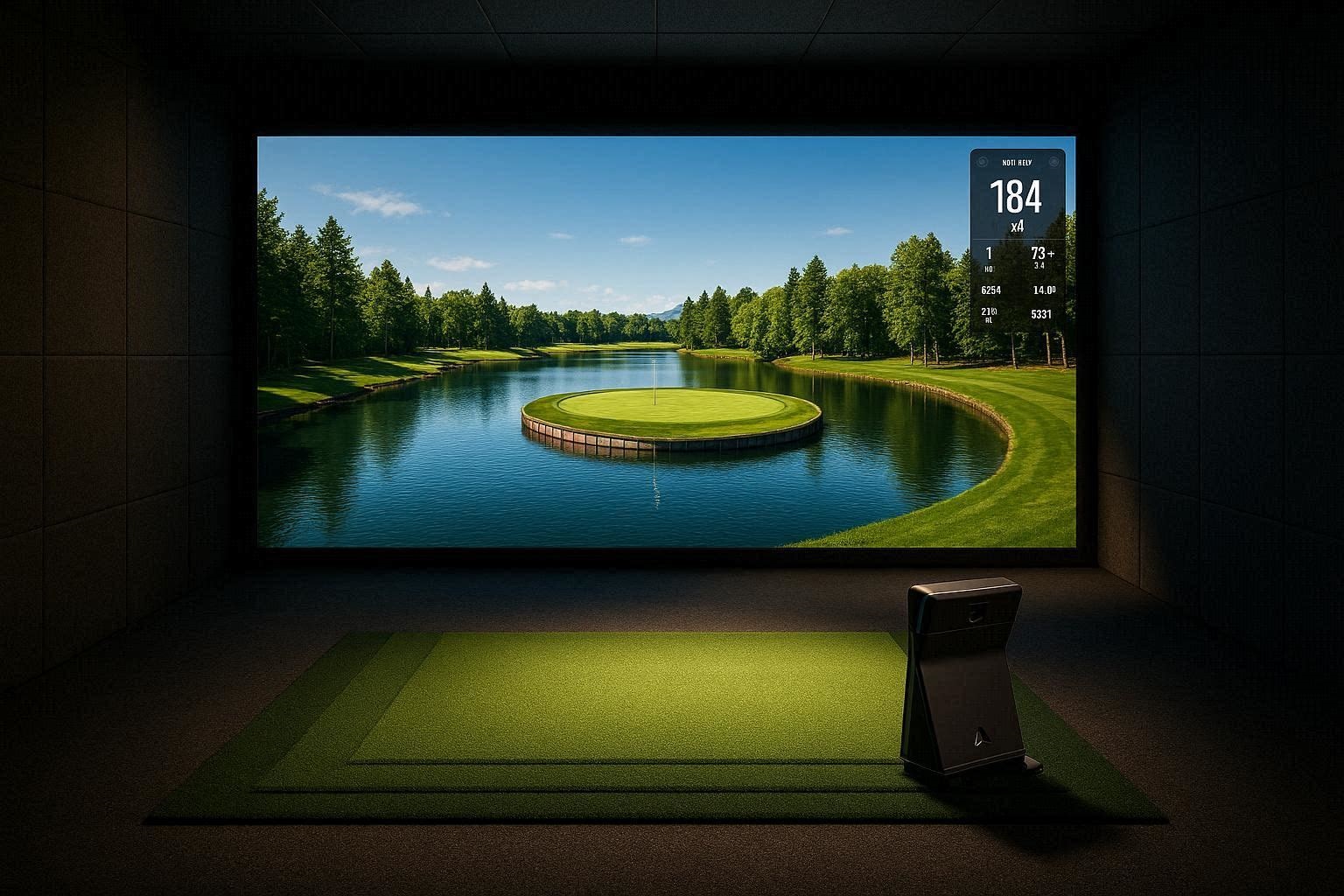
When engineering a high-end golf simulator, the hardware launch monitor only dictates half of the experience. The digital rendering engine determines whether your indoor bay feels like a video game or a true-to-life architectural simulation. When looking for the best GSPro courses 2026 has to offer, you are dealing with a massive community-driven database featuring thousands of community-mapped locations.
However, not all course files are created equal. Some files are lightweight, low-polygon renders designed for older computers, while others are massive, multi-gigabyte LiDAR (Light Detection and Ranging) point-cloud masterpieces that will push a modern gaming PC to its absolute thermal limits. This exhaustive technical benchmark will dissect the most demanding, accurate, and visually spectacular courses available on the GSPro platform. We will evaluate their environmental physics, graphical load requirements, and the specific algorithms dictating their punishing turf conditions.
The Quick Answer / Key Takeaways:
- Ultimate LiDAR Accuracy: The Georgia Golf Club and DPC Sodgrass offer the most precise real-world terrain data, testing your hardware’s ability to render complex micro-slopes on the greens.
- Extreme GPU Stress Tests: Courses like Swiss Alpine Valley and Tobacco Road feature massive elevation changes and thousands of custom environmental assets that require top-tier graphics cards to maintain 60 frames per second (FPS).
- The Deep Rough Physics Engine: Real-world major venues like Oakmont and Bethpage Black utilize strict GSPro turf penalty algorithms, cutting ball speed and distance by 30 to 50 yards if you miss the fairway by mere inches.
- Short Game & Mini Golf Modules: Putt Warehouse provides advanced collision physics for casual simulation, testing your launch monitor’s low-speed putting algorithms.
The Technical Architecture of GSPro Course Rendering
Before loading up the highest-rated files on the server, it is critical to understand how GSPro processes environmental data. The software operates on the Unity graphics engine, utilizing a highly advanced physics calculation module to translate launch monitor telemetry into ball flight.
The premier courses on this platform are built using OPCD (Open Platform Course Designer) tools integrated with raw LiDAR data. LiDAR technology involves flying drones or aircraft over a physical golf course and shooting millions of laser pulses at the ground. This creates an exact 3D topographical map—accurate down to the centimeter—which designers then import into Unity to sculpt the digital mesh.
[IMAGE PLACEHOLDER: A split-screen graphic showing raw digital LiDAR point cloud data on the left transforming into a fully rendered, photorealistic GSPro golf course on the right + Alt Text: Technical breakdown of LiDAR point cloud data rendering into the best GSPro courses 2026]
Because these LiDAR courses contain millions of geometric polygons, they place a massive strain on your computer’s VRAM (Video Random Access Memory). If you attempt to run a heavily forested LiDAR course on an underpowered GPU, you will experience severe frame tearing, micro-stutters during ball flight, and delayed impact rendering. To truly benchmark the software, we must push it with the most resource-heavy files available.
Benchmark Category 1: The Iconic Real-Life Recreations
Due to complex global licensing structures, the most famous major championship venues in the world are often cataloged under pseudonyms or acronyms within the GSPro server. These files represent the pinnacle of digital preservation, demanding immense processing power to render their iconic hazards.
The Georgia Golf Club (The Ultimate Green Speed Benchmark)
Known universally in the community as “The Georgia Golf Club,” this file is a breathtaking, 1:1 scale recreation of the most famous golf course in Augusta, Georgia. The technical mastery of this course file lies in the exact LiDAR recreation of its terrifying green complexes.
When your launch monitor transmits backspin and descent angle data, the GSPro physics engine must calculate the interaction with the digital turf. The Georgia Golf Club is typically played with the global stimpmeter settings cranked to 13 or higher. This requires your computer’s CPU to continuously calculate gravity, friction, and slope vectors across hundreds of micro-undulations. The sheer volume of custom floral assets (azaleas, dogwoods) also requires significant GPU texture memory to prevent pop-in rendering.
DPC Sodgrass & DPC Toronto North
The “DPC” moniker hides some of the most famous stadium courses on the professional tour. DPC Sodgrass is the digital twin of the iconic Florida swamp course featuring the infamous island green.
From a technical standpoint, DPC Sodgrass is a benchmark for GSPro’s water shaders and wind calculation engines. When hitting into an island green, the software dynamically calculates the drag coefficient of the golf ball against crosswinds. Furthermore, the designer implemented highly accurate “bulkhead” collision physics around the island green. If your digital ball strikes the wooden retaining walls, the Unity engine calculates the exact deflection angle based on your ball’s velocity and spin axis, often resulting in a realistic, punishing bounce into the water.
Comprehensive guide on optimizing Unity graphics settings for high-end golf simulators
Payne’s Valley & The 19th Hole Geometry
This specific course file, originally designed by a legendary 15-time major champion, is a massive test of vertical rendering limits. The layout is carved straight out of the Ozark mountains, featuring exposed limestone rock faces and dramatic elevation drops exceeding 100 feet.
Because the topographical map is so vast, the community designers had to split the digital files. You must download the standard 18-hole routing, and then download the famous “19th Hole” island green as a completely separate file. Attempting to load all 19 holes with their massive high-definition rock textures into a single instance would crash the Unity memory allocator on standard PCs. Playing this course tests your simulator’s ability to accurately calculate flight time and descent angles over massive drops.
Coastal Simulations: Cabot Cliffs & Kiawah Island Cassique
Coastal courses introduce a different computational load: dynamic wind physics and vast, rolling ocean rendering. Cabot Cliffs and Kiawah Island Cassique are routinely listed among the best GSPro courses 2026 for players wanting a true links-style experience.
The fescue grass assets used in these files are highly complex. Instead of a flat green texture, the software renders thousands of individual, volumetric blades of tall grass that move dynamically with the digital wind. If your launch monitor captures a low, penetrating stinger shot, the GSPro physics engine calculates the exact moment the ball lands on the firm, baked-out coastal turf, generating massive amounts of forward roll based on the ground hardness slider settings.
Benchmark Category 2: Extreme Graphic Loads & Fantasy Courses
While LiDAR mapping provides realism, fantasy courses push the Unity engine’s lighting, particle effects, and atmospheric rendering to limits never seen in the physical world. These files are designed to drop jaws and stress-test $2,000 graphics cards.
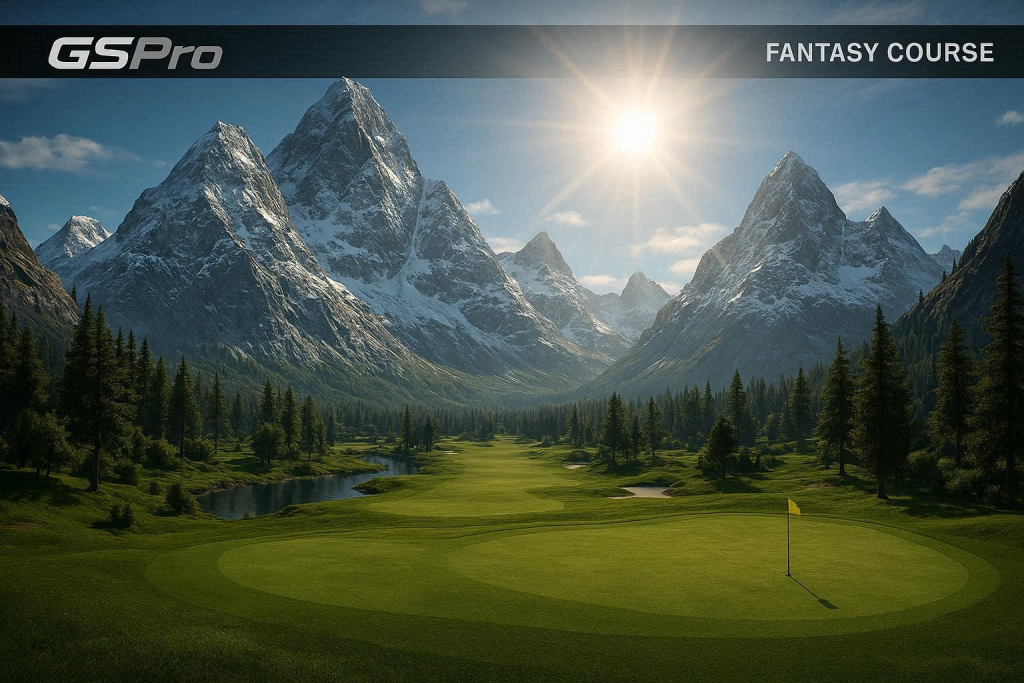
Swiss Alpine Valley
Swiss Alpine Valley is widely considered one of the most visually stunning files on the server. Nestled deep within snow-capped mountains, this fantasy layout uses advanced volumetric fog and dynamic lighting models.
As the digital sun sets behind the massive 3D mountain assets, the course requires the GPU to calculate complex, real-time shadow casting across the entire fairway. The elevation changes here are so extreme that standard launch monitor algorithms often struggle to calculate the apex of the ball flight. It is a pure visual feast that demands an NVIDIA RTX 4080 or higher to run smoothly in 4K resolution.
[IMAGE PLACEHOLDER: A screenshot of a GSPro fantasy course featuring towering, hyper-realistic snow-capped mountains and dramatic sun glare + Alt Text: Swiss Alpine Valley fantasy golf course rendered in stunning 4K on GSPro software]
Deep Sci-Fi: Sanctuary Moon & Middle Earth
For users looking to completely break reality, the community designers have built courses entirely out of custom architectural assets. Sanctuary Moon and Middle Earth transport the golfer to otherworldly environments.
These files are essentially massive architectural rendering benchmarks. They feature glowing flora, bizarre gravity-defying structures, and unique ambient lighting that requires advanced anti-aliasing to smooth out the jagged edges on complex 3D models. These courses prove that a modern golf simulator is no longer just a training tool; it is a high-end immersive virtual reality environment.
The Breathtaking Custom Landscapes
In addition to pure fantasy, there are custom designs that mimic reality but amplify the aesthetics to an 11. Courses like Redwood Run, Ashen Cliffs, Gilded Dunes, Sasquatch Canyon, and Premonition are frequently cited by the community as absolute must-plays.
These designs utilize proprietary texture packs for sand, water, and bark. Gilded Dunes, for example, features massive, towering sand traps that require the software to calculate soft-sand collision physics. If your ball lands in these bunkers, the software immediately applies a severe spin-decay algorithm, ensuring the ball plugs realistically just as it would in a real desert environment.
The Physics Engine Stress Test: Courses with Punishing Rough
A major point of contention among competitive indoor golfers is the gap between simulator scores and real-world outdoor scores. Many players shoot 10 to 15 strokes better on their indoor simulator. Why? Because premium indoor hitting mats allow the club to glide through the turf effortlessly, whereas a real-world chunked chip shot in thick mud will advance the ball only two feet.
To combat this, GSPro designers utilize severe algorithmic penalties for shots landing in the deep rough. If you want to test your mental fortitude, load up the major championship venues.
Oakmont & Bethpage Black Turf Algorithms
Oakmont and Bethpage Black are notoriously punishing in real life, and their digital counterparts are mathematically brutal. Within the GSPro course editor, designers can assign specific “Lie Penalties” to different geometric zones on the map.
If you miss the fairway on Bethpage Black by even two feet, the software registers your ball as sitting in “Deep Rough.” When you strike your next shot, the software intercepts the data from your launch monitor and automatically applies a massive reduction multiplier. Even if you swing a 7-iron at 90 miles per hour, the software will algorithmically strip 30 to 50 yards off your total carry distance and artificially lower your spin rate, creating a dead, tumbling ball flight.
This forces the player to hit extra clubs and rely heavily on the visual feedback of the GSPro HUD (Heads Up Display) to interpret the exact lie percentage before executing the shot. It is a brilliant, highly technical solution to replicate the physical difficulty of escaping thick fescue without actually injuring the player’s wrists on an indoor mat.
The Short Game & Mini Golf Graphics Modules
High-speed driver swings are easy to calculate. The true test of a launch monitor and its paired software is the low-speed, high-precision environment of the short game. GSPro handles this through specialized short courses and novel physics environments.
Putt Warehouse: The Collision Physics Benchmark
Putt Warehouse is not a standard golf course; it is a meticulously designed, family-friendly mini-golf environment built directly into the GSPro engine. It features ramps, tunnels, moving obstacles, and geometric bumpers.
From a software engineering perspective, Putt Warehouse is an absolute gauntlet for collision detection algorithms. When you strike a putt at 4 miles per hour, the launch monitor must transmit that micro-data to the PC instantly. The ball must then interact with the digital bumpers, ricocheting at mathematically perfect angles while gradually losing speed to friction. If your hardware suffers from high latency or input lag, navigating Putt Warehouse will be incredibly frustrating. It is the ultimate diagnostic tool to verify that your launch monitor and PC are communicating seamlessly.
Top of the Rock & Canyon Run
For players looking to benchmark their wedge game, Par-3 courses like Top of the Rock and Canyon Run are essential. These files focus entirely on precision distance control and high-spin descent angles.
These courses highlight the discrepancy between indoor and outdoor putting averages. Benchmark testers routinely note that their real-world putting average is roughly 2.3 putts per hole, while their simulator average drops to 1.5. This is because simulator putting utilizes a perfectly flat surface, removing the physical variables of grain, spike marks, and slope. For players struggling to translate indoor putting to the screen, many opt to utilize GSPro’s “Auto-Putt” feature, which mathematically calculates your putt based on your proximity to the hole, vastly speeding up the pace of play.
[INTERNAL LINK: The Ultimate Guide to Calibrating Your Launch Monitor for Flawless Indoor Putting]
The Affiliate / Monetization Section: The Premium Upgrade
If you intend to run the best GSPro courses 2026 has to offer, utilizing budget hardware will completely bottleneck the experience. You cannot run a 4K LiDAR point-cloud file on a standard office laptop, and you cannot expect accurate lie penalties if you are striking balls off a concrete-backed carpet. You must upgrade your infrastructure.
Building the Ultimate GSPro Workstation
GSPro’s graphics engine is unforgiving. To render Swiss Alpine Valley or The Georgia Golf Club in native 4K resolution at a stable 60 FPS, you must invest in a dedicated, high-tier gaming workstation.
You cannot rely on integrated graphics. You must source a PC featuring an NVIDIA GeForce RTX 4080 Super or RTX 4090 graphics card. These GPUs feature the massive amounts of VRAM required to hold the high-definition grass and tree textures in memory without crashing. Pair this with at least 32GB of high-speed DDR5 RAM and a 13th or 14th-generation Intel Core i7 or i9 processor. Do not attempt to run these massive courses from a standard spinning hard drive; the course load times will take minutes. Ensure the PC utilizes an NVMe M.2 Solid State Drive for instantaneous texture streaming.
Upgrading the Hitting Substrate
The simulator community consistently notes that standard, cheap commercial driving range mats mask terrible swing mechanics. Because GSPro applies harsh digital penalties for hitting out of the rough, you need a physical mat that accurately punishes a “fat” or “chunked” shot in the real world before the data even reaches the software.
You must upgrade your hitting bay to a premium, multi-layer stance mat featuring an independent, strike-forgiving turf insert. Products from top-tier engineering brands (often available through commercial B2B networks like ShareASale or direct manufacturer links) utilize continuous synthetic fiber structures that allow the club to slide down and through the ball naturally. If you strike two inches behind the ball on a premium mat, the club head speed will physically drop before impact, ensuring the launch monitor captures an accurate, shortened distance that perfectly mirrors outdoor physics. This protects your joints from impact shock while enforcing honest swing data.
Custom Setup Hack / Preventative Maintenance
To guarantee that your high-end PC does not drop frames during a crucial tournament round on a massive LiDAR course, you must optimize the GSPro software settings manually. Do not rely on the “Auto-Detect” graphical settings, as they often over-allocate resources to unnecessary background tasks.
The Resolution Scaling Hack: If you are running a 4K projector but your graphics card is struggling to maintain 60 frames per second on heavy courses like Tobacco Road, you do not need to drop your global resolution to 1080p and ruin the visual fidelity.
- Open the GSPro main graphics settings menu.
- Locate the “Resolution Scale” slider.
- Instead of leaving it at 100%, pull the slider down to exactly 85%.
- Turn on the “FidelityFX Super Resolution” (FSR) or anti-aliasing smoothing option.
This exact mathematical adjustment forces the software to render the internal game engine at a slightly lower, highly optimized resolution, and then digitally upscales the final image to your 4K projector. The human eye cannot detect the 15% drop in raw pixel calculation from 10 feet away, but your graphics card will suddenly drop 15 degrees in temperature and your frame rate will lock at a buttery-smooth 60 FPS.
Furthermore, if you are hosting a large group of friends and want to finish 18 holes of The Georgia Golf Club in under two hours, navigate to the game settings and engage the “Auto-Putt (Fixed)” algorithm. Set the parameters to automatically grant a 1-putt if the approach shot lands within 6 feet, a 2-putt from 6 to 30 feet, and a 3-putt from beyond 30 feet. This entirely bypasses the complexities of simulator putting mechanics, allowing you to focus purely on striking the ball and enjoying the architectural masterpieces rendered on your screen.